







Ditch the Clicker: Why Turning Your Smartphone into an Android TV Remote is a Game-Changer
We have all been there: nestled deep into the cushions of the sofa, ready to binge-watch the latest series, only to realize the physical remote control is nowhere to be found. It has slipped into the abyss between the seat cushions or migrated to a different room entirely. In an era where our smartphones have become the central hub for our digital lives, it is almost archaic to rely on a standalone plastic remote that requires batteries and a direct line of sight. For those using Android TV or Google TV devices, your smartphone is already equipped to solve this problem. After testing the transition from physical clicker to digital remote, I’m convinced that this isn’t just a convenience—it’s a genius upgrade to your home entertainment setup.
The Evolution of the Living Room Interface
For decades, the infrared remote control reigned supreme. It was a simple, tactile device, but it was also inherently limited. You were tethered to the range of the IR blaster and forced to navigate clunky, button-heavy interfaces that made typing out a movie title feel like a chore. With the advent of Android TV and Google TV, the ecosystem shifted toward software-based control. By utilizing the built-in “Google TV” app (or the dedicated remote tile in the Android Quick Settings), users can bypass the limitations of hardware remotes entirely.
The beauty of this transition lies in the connection method. Unlike traditional remotes that rely on line-of-sight infrared, a smartphone-based remote operates over your local Wi-Fi network. This means you can control your television from the kitchen, the bedroom, or even the hallway. The signal is robust, instantaneous, and completely eliminates the frustrating “dead zones” that often plague standard IR remotes.
Why the Smartphone Remote Wins on Usability
The most immediate benefit of switching to a smartphone remote is the keyboard. Let’s be honest: searching for a title on a streaming platform using a directional pad is a relic of the past. When you use your phone as a remote, the moment you click into a search field on your TV, your phone’s native keyboard pops up. You can type out “The Lord of the Rings” in seconds rather than spending minutes scrolling through a virtual on-screen keyboard. This single feature saves countless hours of frustration over the lifespan of a television.
Furthermore, the touch-based navigation pad on the smartphone app is far more precise than the stiff, clicky buttons found on most budget remotes. It functions like a trackpad, allowing for fluid scrolling through menus. If you are a power user who frequently navigates deep into settings or manages multiple streaming accounts, the agility provided by a touch interface is objectively superior.
Accessibility and Cost-Efficiency
Perhaps the most compelling reason to make the switch is the price: it is entirely free. Most users already own an Android or iOS device, and the Google TV app is a zero-cost download. There is no need to purchase expensive universal remotes or replacement clickers when your current device is already programmed to handle the task. This is a sustainable approach to tech—reducing electronic waste by utilizing the hardware you already have in your pocket.
Additionally, the accessibility features integrated into modern smartphones—such as screen magnification, high-contrast displays, and voice-to-text—can be leveraged through the remote app. For users who struggle with the tiny, often unlit buttons of a standard remote, the smartphone offers a customizable, backlit, and intuitive alternative that can be adjusted to meet individual physical needs.
The Setup: Simplicity in Minutes
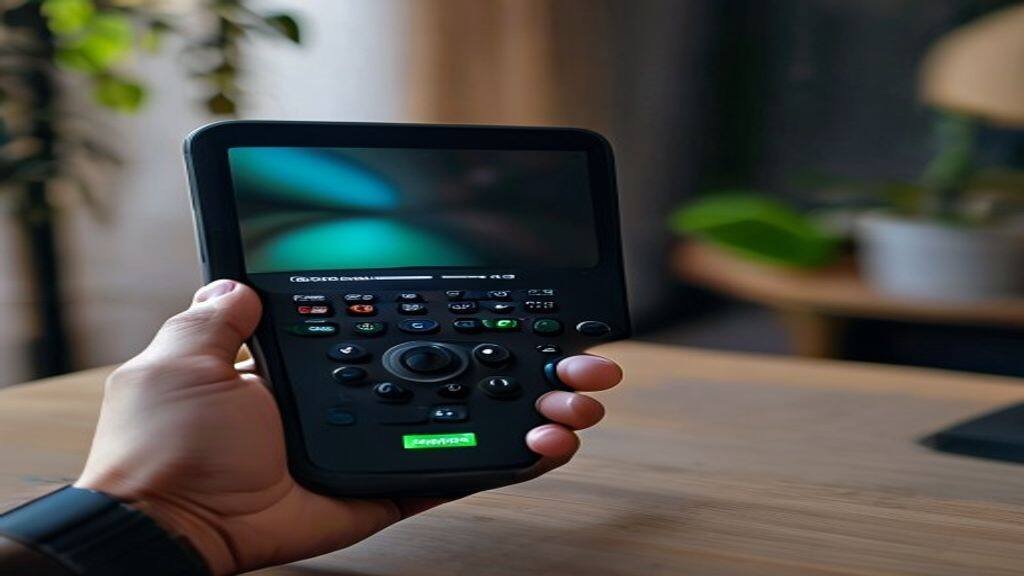
Getting started is remarkably straightforward. For Android users, the remote is often baked directly into the operating system; you can simply swipe down on your notification shade and tap the “Remote” tile. If you are using an iPhone, the Google TV app provides an identical experience. Both devices need to be connected to the same Wi-Fi network, and the initial pairing is handled via a simple PIN code displayed on the television screen. Once paired, the phone remembers the device, allowing for seamless reconnection every time you open the app.
The integration is so smooth that it feels like a native extension of the TV’s operating system. There is no lag, no complex menu diving, and no need to worry about the remote’s battery dying at the most inconvenient moment—as long as your phone has a charge, you are in control.
A Look at the Future of Media Control
As smart home ecosystems continue to mature, the physical remote is destined to become a niche accessory rather than a necessity. We are moving toward a future where our personal devices act as the “master key” for our entire home—from lighting and security cameras to our entertainment systems. By embracing the smartphone remote today, you are not just solving a minor annoyance; you are adopting a more streamlined, efficient, and modern way of interacting with your digital environment. While there will always be a place for a physical button for those who prefer tactile feedback, the smartphone remote is, without a doubt, the smartest way to navigate the content-rich world of Android TV.
Original reporting: source.