









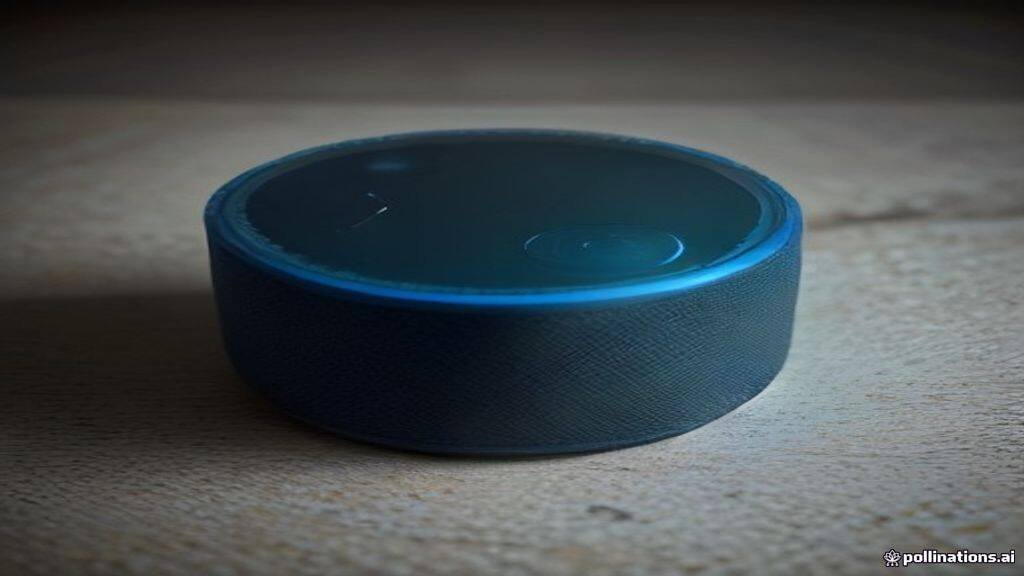
For years, the default, crisp, and slightly clinical voice of Amazon’s Alexa has been a staple in millions of households globally. While functional and clear, the one-size-fits-all approach to digital assistants has increasingly felt dated. As smart home technology evolves, so does the desire for personalization. Amazon has recognized this shift, gradually introducing a suite of features that allow users to customize not just the voice of their virtual assistant, but its personality and responsiveness as well. Whether you are looking for a more natural-sounding assistant or simply want to inject a bit of character into your living space, changing Alexa’s voice is a straightforward process that transforms the user experience.
Understanding the Mechanics of Alexa’s Voice Profiles
At its core, Alexa’s voice is the result of sophisticated text-to-speech (TTS) technology powered by neural networks. For a long time, Amazon relied on a singular, synthesized voice profile. However, the introduction of “Neural TTS” has allowed the company to offer a more human-like cadence, better intonation, and a wider range of expressive capabilities. These advancements are what make changing the voice possible without losing the assistant’s core functionality.
When you change Alexa’s voice, you aren’t just changing a file; you are instructing the cloud-based AI to adopt a different set of linguistic parameters. These parameters dictate how the assistant emphasizes words, pauses for breath, and even simulates emotional inflection. It is a technical feat that bridges the gap between cold computation and conversational warmth.
How to Change Your Alexa Voice Settings
Changing the voice of your Echo device is remarkably simple and can be done entirely through the Amazon Alexa app on your smartphone or via voice command. The most direct method is the “Voice Command” shortcut. By simply saying, “Alexa, change your voice,” the device will walk you through the available options. This is the fastest way to preview different tones and pitches.
If you prefer a more granular approach, navigating the Alexa app is the way to go. Open the app, tap on the “Devices” tab, and select “Echo & Alexa.” From there, choose the specific device you wish to modify. Under the “Settings” gear icon, look for the “Alexa’s Voice” section. Here, you will find a list of available voices. Depending on your region, these may include different regional accents, such as British English, Australian, or various North American variations. Once you select a new voice, the change is applied globally to that specific device, providing an immediate auditory shift in your environment.
Injecting Personality: Celebrity Voices and Specialized Modes
Beyond standard regional accents, Amazon has pushed the boundaries of personality through celebrity integrations and specialized modes. In recent years, we have seen the introduction of high-profile voices—such as Samuel L. Jackson or Melissa McCarthy—that allow the assistant to take on a more distinct persona. While these integrations often come with a small one-time fee, they provide a level of entertainment value that standard voices simply cannot match.
It is important to note that these celebrity voices function differently than the standard assistant. They are designed to handle specific tasks—such as setting timers, telling jokes, or providing weather updates—but they may defer to the standard Alexa voice for more complex cloud-based queries or smart home controls. This “hybrid” approach ensures that you get the personality you want without sacrificing the utility of the device.
The Rise of Brief Mode and Adaptive Volume
Personality isn’t just about the timbre of the voice; it is also about how the assistant behaves. Many users find the constant “Okay” or “I’ve added that to your list” confirmations to be intrusive. To change the personality of your Alexa to be more “efficient” or “minimalist,” you can enable “Brief Mode.”
When Brief Mode is active, Alexa will replace long-winded verbal confirmations with a short chime or a subtle sound effect. This significantly alters the “vibe” of the device, making it feel less like a chatty assistant and more like a silent, efficient butler. Combined with “Adaptive Volume”—which allows Alexa to adjust its response volume based on the ambient noise in the room—these features allow you to curate a digital personality that feels tailored to your lifestyle rather than a generic factory setting.
Troubleshooting Common Voice Customization Issues
While the process is generally seamless, users occasionally run into issues where the voice does not change as expected. The most common culprit is a device that is not fully updated. Ensure your Echo device is running the latest firmware by checking the “About” section in the device settings. Additionally, if you have multiple Echo devices in the same room, ensure you are modifying the correct one. It is also worth noting that some regional accents may not be available on older generation Echo hardware, as the processing power required for high-fidelity neural voices can sometimes exceed the capabilities of legacy chips.
The Outlook for Personalized AI
The future of smart home assistants is undeniably headed toward hyper-personalization. We are rapidly moving away from the era of uniform, robotic interfaces toward a future where our AI assistants can adopt specific tones, mimic conversational styles, and perhaps even learn from our own speech patterns. As large language models (LLMs) become more deeply integrated into the Alexa ecosystem, we can expect the “personality” of our devices to become even more fluid, capable of shifting from a professional, informative tone during the workday to a more relaxed, casual persona in the evening. The ability to change a voice is just the first step in a long journey toward making digital assistants feel less like gadgets and more like companions.
Original reporting: source.